

Intel
Checklists and guides
What the app does
- Cash ledger. Pick what it was (a store, a hideout, a fence sale, a run), type the amount, done. Spending goes in the same way. Your net, your earnings today and your running totals stay on the first screen.
- Cooldown timers. Set your own timer for a spot that has gone cold, name it, and get an alert when it is worth another visit, even with your phone locked.
- Chapter heads-ups. Short warnings collected from player reports in launch week, such as what happens to your cash when a chapter ends. Each one says how well supported it is, and story spoilers stay folded until you choose to read them.
- Completion checklist. Tick off included story missions and the Chapter 1 checklist. Pro adds trackers for vehicles, collectibles and other activities.
- What pays (Pro). Your earners ranked by average take, an estimated hourly rate, and a price book of what each buyer has paid you, all from your own entries.
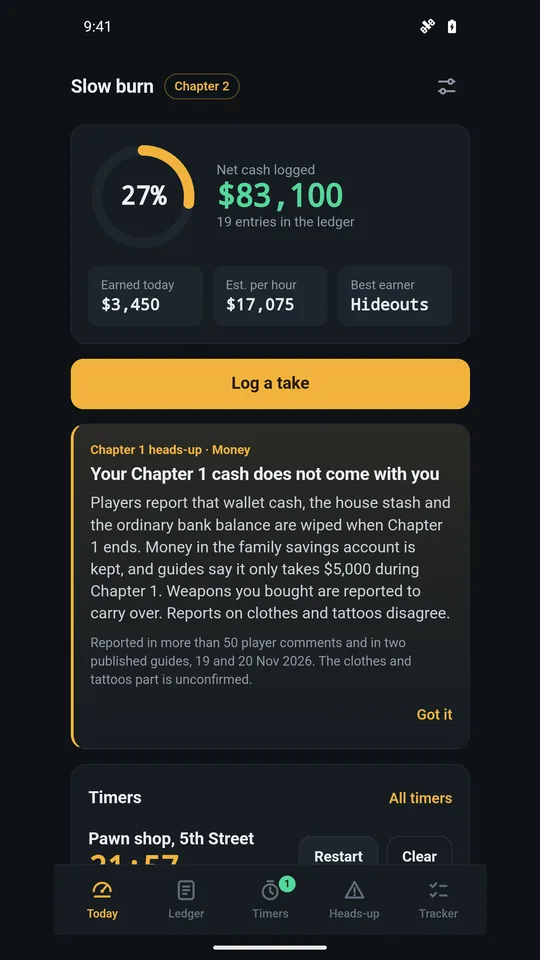
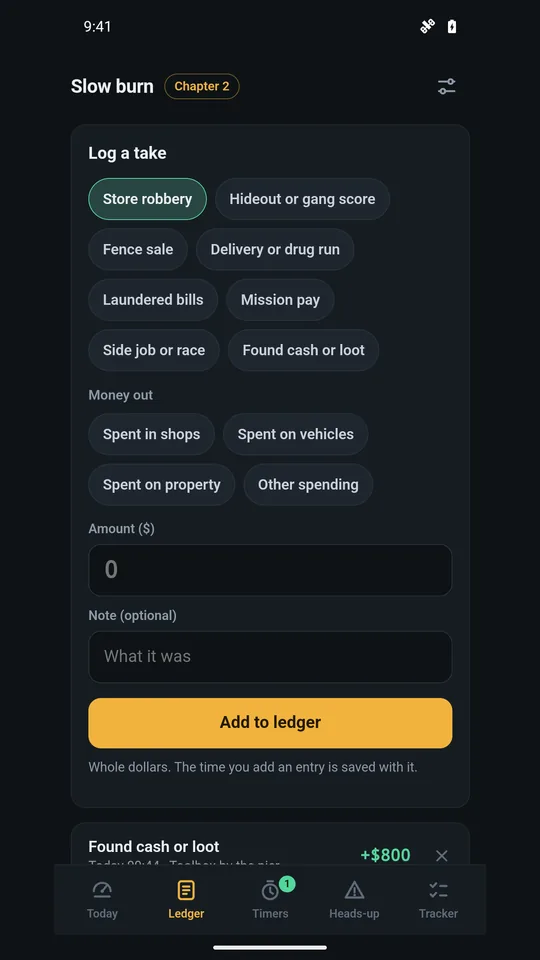
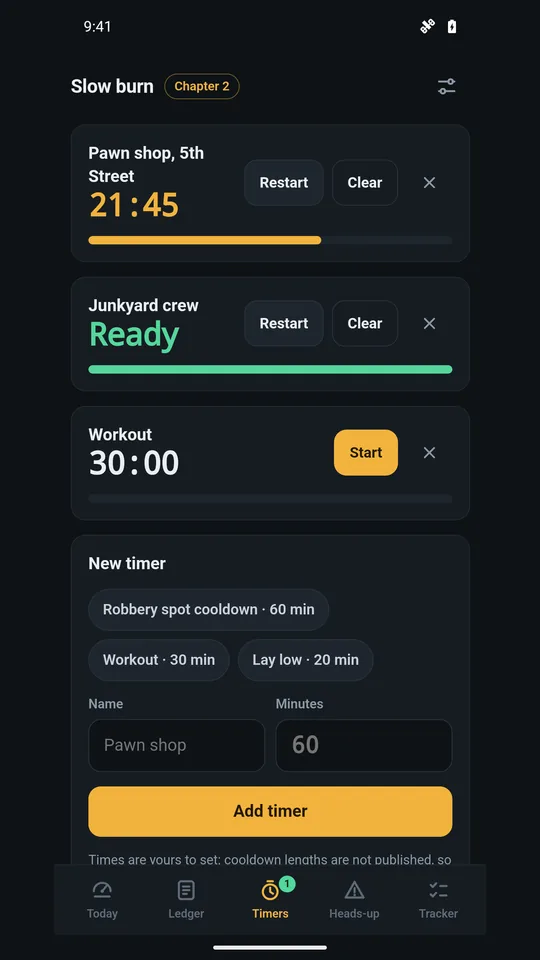
These screens are shown with Pro unlocked. The estimated hourly rate and best earner on the first screen are Pro features, and the free version has 30 ledger entries and 2 timers.
A checklist or a map?
Use Getaway Log alongside the game to tick off completion goals, keep track of what you earn and set your own cooldown timers. You enter your progress yourself, and the checklist and ledger work offline. A map is a better starting point when you want to look up where to go.
Check back here for Android availability.
Price: free, with a one-off Pro unlock
Getaway Log is free to download. There are no ads, no account and no subscription.
- Free: the Chapter 1 checklist, included story missions, 30 ledger entries and 2 timers.
- Pro, one payment of £4.99 in the UK or $4.99 in the US: full trackers and region index, unlimited ledger entries and timers, earnings ranking, the price book, notes, extra runs and backup. The price differs in other countries.
It works offline on iPhone and iPad (iOS 16.4 or later).
Get help
Email support@shadowmark.net and tell us your device and what happened. We read every message.
Common questions
- What is Getaway Log?
- Getaway Log is an unofficial companion logbook app for players of Grand Theft Auto VI. You log the money you make and spend, set your own cooldown timers, read short heads-ups before a chapter costs you, and tick off completion goals. It is available on iPhone, iPad and Android.
- Is Getaway Log an official app?
- No. It is fan-made and unofficial. It is not affiliated with, endorsed by or sponsored by Rockstar Games or Take-Two Interactive, and it contains no game art, audio, maps or screenshots.
- How much does Getaway Log cost?
- The app is free to download. Free includes the Chapter 1 checklist, included story missions, 30 ledger entries and 2 timers. Getaway Log Pro is one payment of £4.99 in the UK or $4.99 in the US (the price differs in other countries), with no subscription.
- Does it work offline?
- Yes. The ledger, timers and saved checklist work with no connection. The app checks the purchase service at startup and when you use purchase or restore features. It can also check for game list and Intel updates.
- Does it connect to my game or console?
- No. It does not connect to your console, your game or any game account. You enter your own progress and ledger entries.
- Where is my logbook kept?
- On your device. There is no account, and the app never sends your logbook to us or anyone else. The purchase service (RevenueCat, with Apple or Google) checks Pro at startup and gets purchase details. Checks for game list and Intel updates do not include your logbook entries. If your phone's own backup (iCloud Backup or Google's device backup) is on, it can include the app's data like any other app's. Deleting the app deletes the logbook, so make a backup first (Settings, Backup) if you have Pro.
- I bought Pro and it is locked
- Open Settings in the app and tap Restore purchase while you are online. It checks with the App Store or Google Play using the same store account you bought it with.
- How do I get a refund?
- Refunds are handled by Apple or Google. Use "Report a Problem" on the App Store, or your order history on Google Play.
- A timer did not alert me
- Check that notifications are allowed for Getaway Log in your device settings. Alerts are scheduled on the device, so they also work offline. On Android, an alert can arrive a few minutes late unless "Alarms and reminders" is allowed for Getaway Log in the system settings.
- A heads-up is wrong
- Heads-ups are player reports from launch week and can be wrong or change with patches. Email us what you found and we will correct it.
Privacy
Your logbook is stored on your device and is never sent to us. Your phone's own backup, if it is on, can include it. Read the Getaway Log privacy policy.
Unofficial
Getaway Log is an unofficial, fan-made tracker. It is not affiliated with, endorsed by or sponsored by Rockstar Games or Take-Two Interactive. It contains no game art, audio, maps or screenshots. Grand Theft Auto is a trademark of its owner and is named here only to say which game the logbook is for.